Canvas Portfolios - Viewing Student Progress and Leaving Feedback
Viewing Student Progress
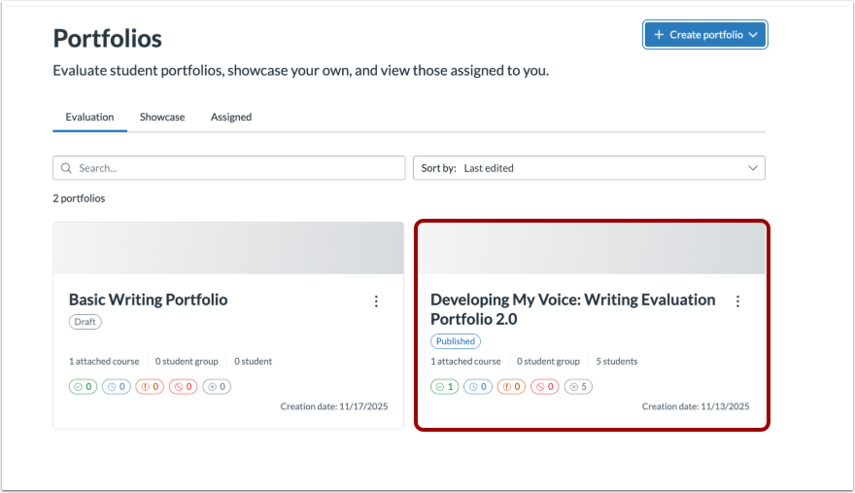
From the portfolios home page, select the evaluation portfolio you want to view.
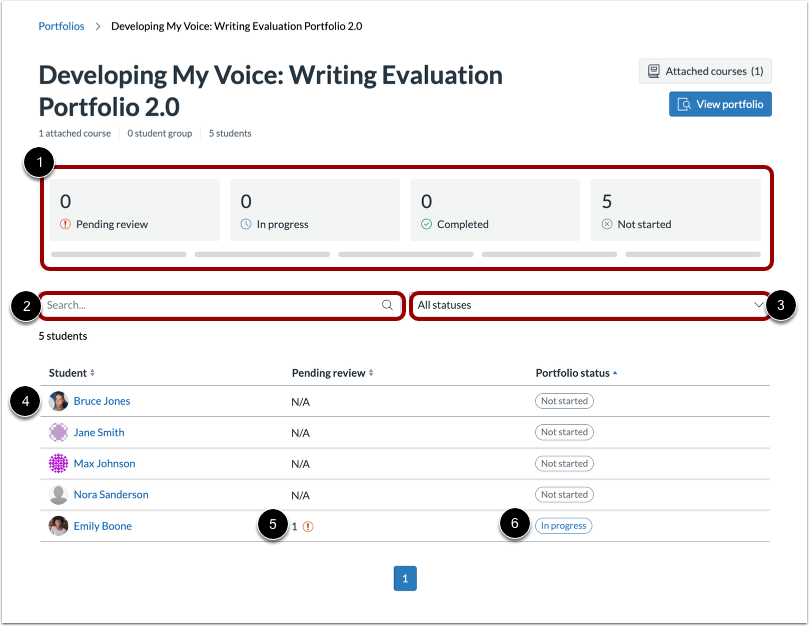
From the Learner Dashboard, you can track student progress on their evaluation portfolios.
View group statistics: See how many students portfolios are Pending Review, In Progress, Completed, or Not Started.
Search and filter: For portfolios with many students, search by student name or filter by portfolio status.
View individual statistics: Select a student’s name to see their portfolio progress, including how many items are pending review and the portfolio status of each student.
Note: Assignment progress may not update in real time on the Learner Dashboard. However, instructors can view up-to-date assignment progress when looking at a specific student’s portfolio.
Adding Evidence Feedback
In the desired evaluation portfolio, select the student you wish to review.
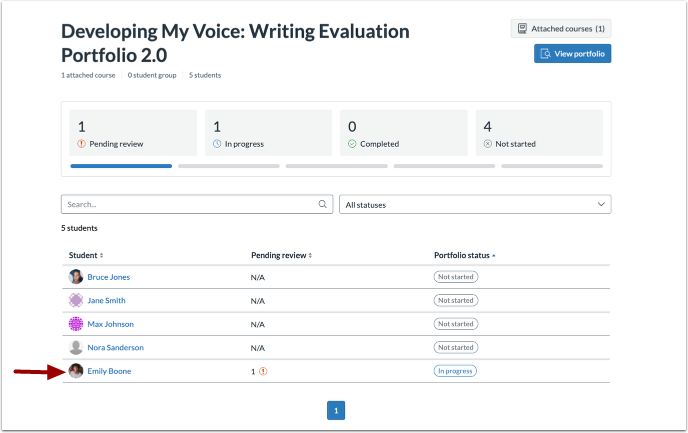
Select the item you want to review.
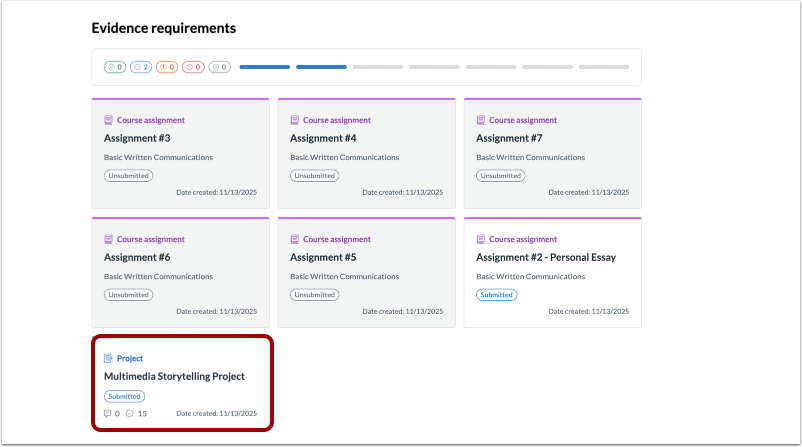
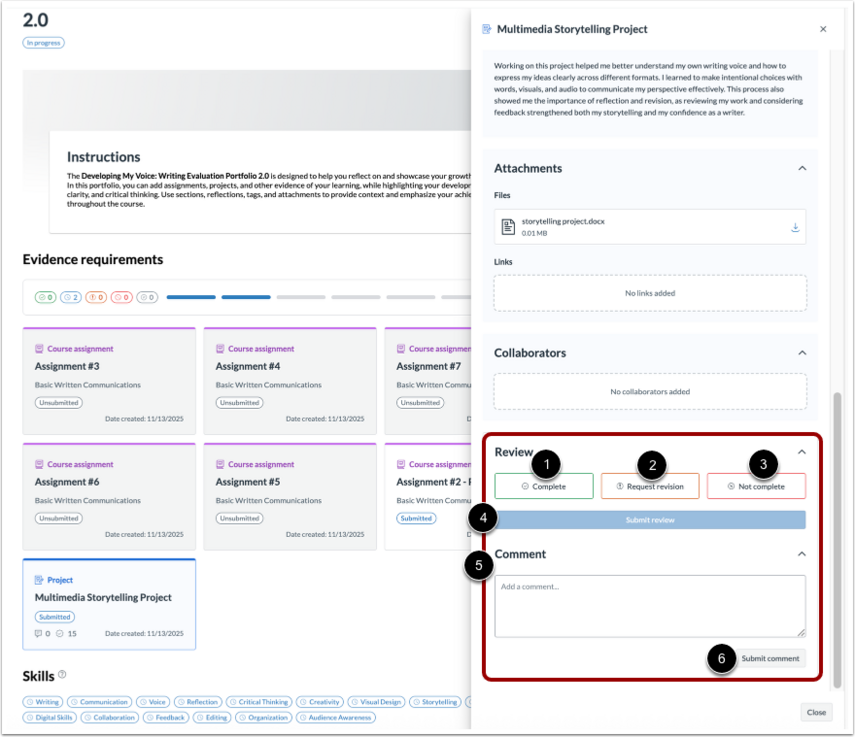
In the Review section, mark the item as Complete, Request revision, or Not complete, then select Submit review.
To leave a comment, write your comment in the Add a comment field and select Submit comment.
Note: You can leave comments independently of marking evidence as complete or incomplete to provide ongoing feedback. When requesting a revision or marking evidence as not complete, you will always be prompted to include a comment before submitting.