Canvas Portfolios - Submitting Assignments in Evaluation Portfolios
This article explains how to submit assignments in evaluation portfolios.
Selecting Assignments
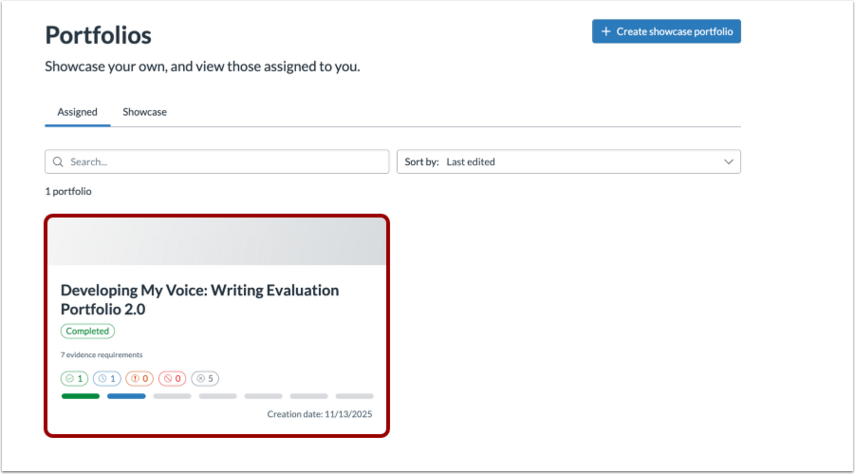
On the portfolio home page, select the desired portfolio from the ones that have been assigned to you.
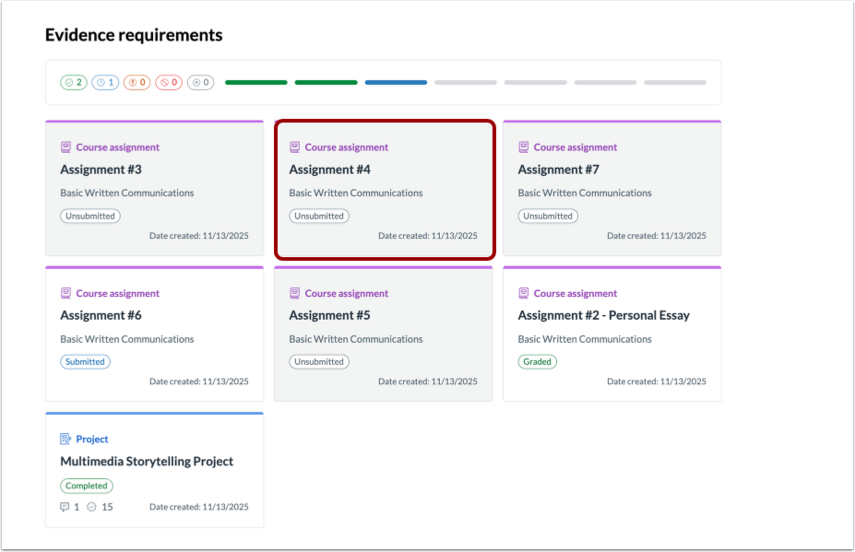
Then select the assignment you want to submit.
Submitting Assignments
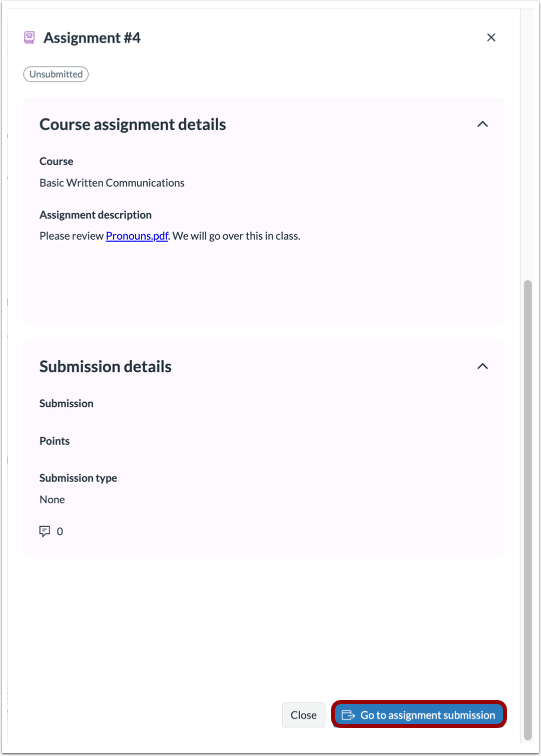
Once you have selected an assignment, select Go to assignment submission on the bottom of the page.
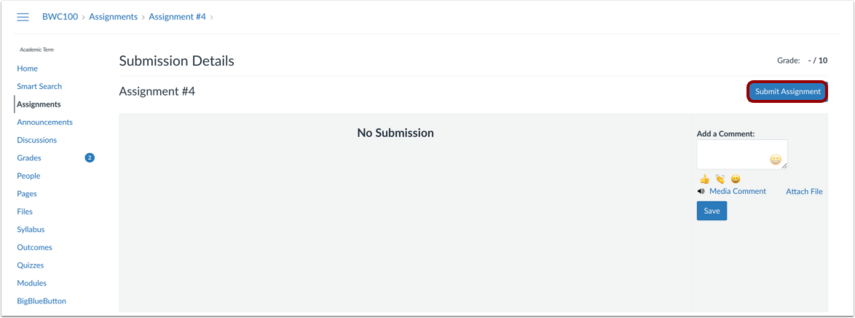
Select Submit Assignment on the Submission Details page.
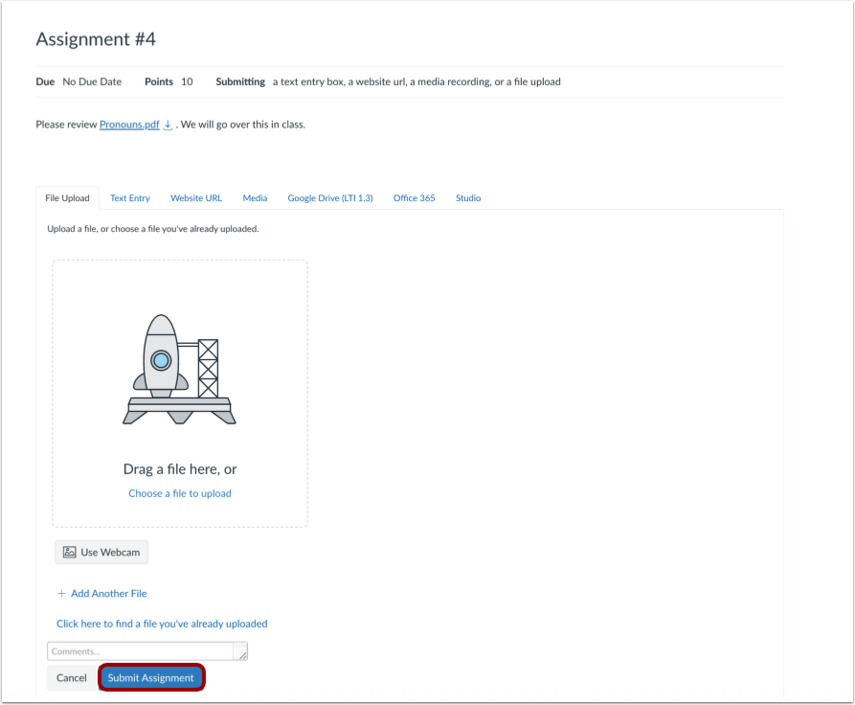
Submit your assignment according to your instructor’s specified submission requirements, then select Submit Assignment.
Viewing Assignment Feedback
The status of the modal is shown at the top of the portfolio assignment.
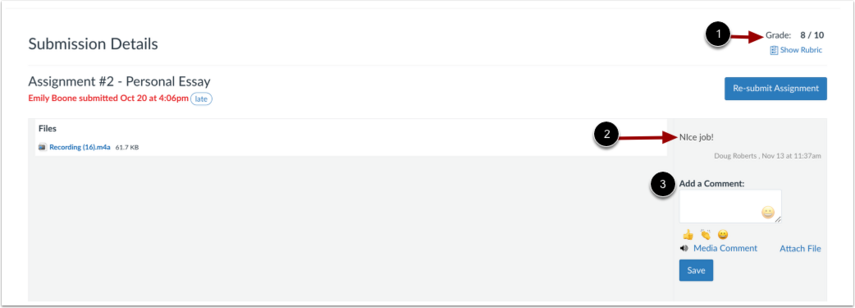
Select Go to assignment submission to see your grade or any comments.
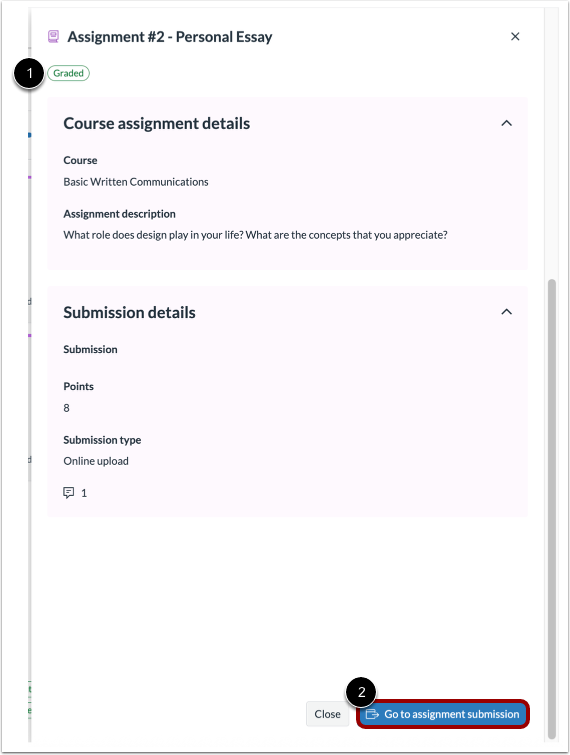
Your grade displays at the top with any comments from your instructor displaying below.
Use Add a Comment to leave a comment for your instructor.