Canvas Portfolios - Viewing Portfolios
This article explains how to open the new Canvas Portfolio to view or create your own portfolios.
Opening Portfolio
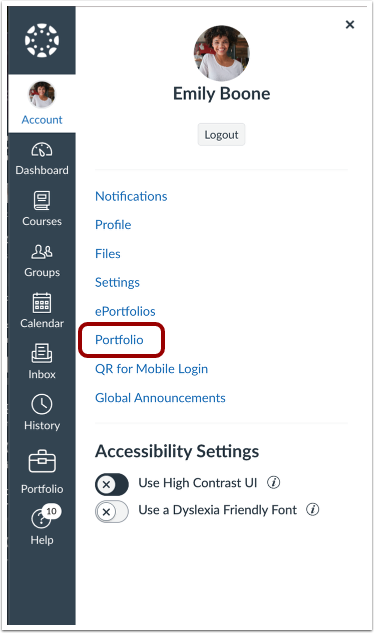
In Global Navigation, select Account and then select Portfolio.
This opens the Portfolios home page, where you can choose to view, edit, or create a portfolio.
Viewing Portfolios
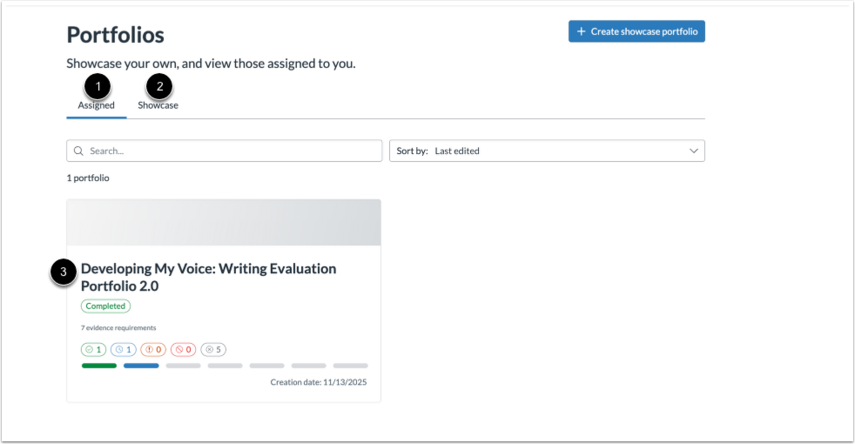
Select the Assigned tab to view instructor-assigned Evaluation Portfolios.
Select the Showcase tab to view your own Showcase Portfolios.
Select the portfolio you want to view to see its contents.
Finding Portfolios
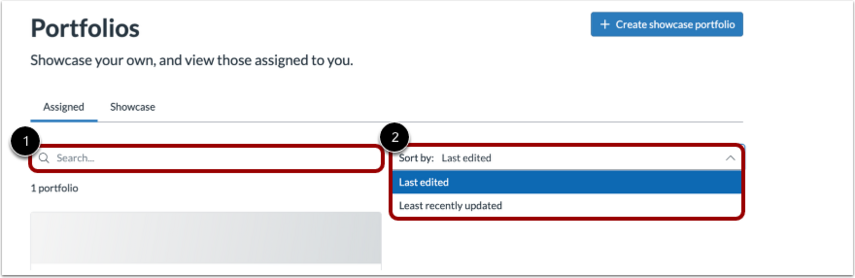
On the Portfolios home page, you can Search and Sort to display desired portfolios.